 Jack Frier
Think about it. You're new to the platform. You don't even know what you don't know. You have a vague idea of what you want to achieve, say, building a user journey, but you have no clue what the platform actually calls that feature, or which of the four-hundred-and-six pages of documentation is the one that'll actually help you.
Most people's instinct is to tab out and ask another agent. Which works, until it doesn't, because a general-purpose LLM trawling the open internet might give you a confidently worded answer built on information that's six months stale or pulled from a completely different context.
Braze has a documentation AI agent baked right into the search bar of braze.com/docs and is publicly accessible, no login wall required. It's scoped specifically to Braze's official docs, and is genuinely useful to marketers and developers alike, and all levels of Braze users.
Here's how to use it well.
The Double-Pass Approach
The framework is simple. Two passes.
Pass 1: Broad, uninformed query. You’re orienting yourself. The goal here isn’t to get the final answer, it’s to learn the correct terminology, understand the landscape, and grab contextual documentation links that the agent surfaces.
Pass 2: Informed, specific query. Now that you know what the feature is called and roughly how it works, you drill down. The agent gives you more targeted info, and the documents that it links to shift from contextual to directly relevant, the actual how-to pages.
Between the generated answers from both passes and the documentation you’ve collected, you’ll likely have everything you need to answer your question and start building.
If you already know the platform and you’re just looking up something specific, you might only need one pass. The second pass is for when you’re starting from scratch. The more specific your initial query, the less you need the double-pass. But for beginners in Braze, this approach saves a lot of aimless clicking.
Let’s walk through it.
Example 1: “How do I build a user journey?”
Let’s say you’ve got your Braze instance set up and ready to go, but you have zero knowledge of the platform. You want to create a user journey. But you have no idea what the Braze terminology is for a user journey.
Pass 1: The Uninformed Query
Type your query into the search bar exactly as it comes to mind: “how to make a user path in Braze”. Don’t overthink it. Ignore the dropdown suggestions and just hit enter.
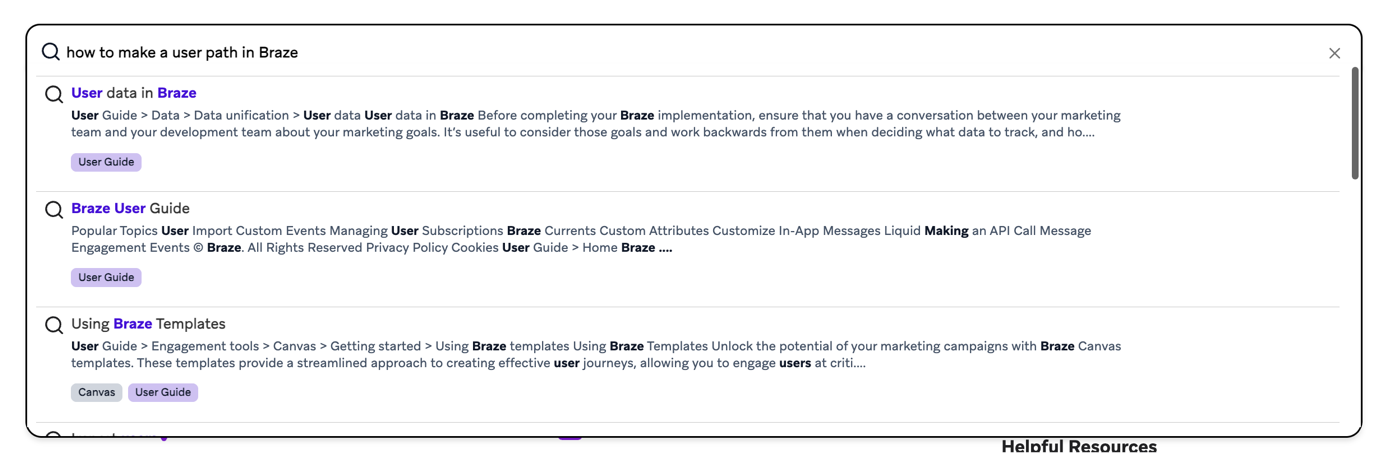
The agent scours the documentation and generates an answer for you right there.
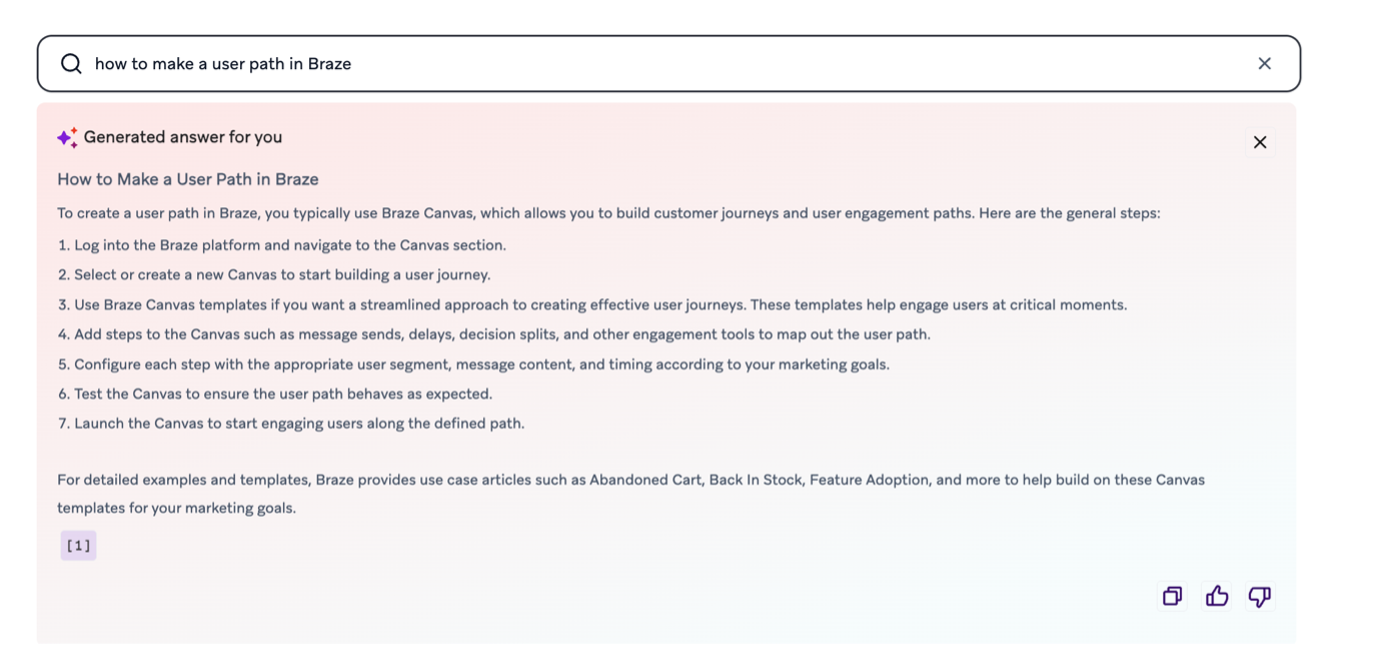
So, now you know a user journey in Braze is called a Canvas. Your instinct might be to immediately fire off a new query like “how to make a canvas”, but hold your horses. See that little numbered reference at the bottom of the generated answer in the image above? That’s a documentation link. In this case, it points to the Use Braze Canvas templates. It’s contextual, and it’s related to your query, but it’s more of a “here’s the neighbourhood” than a “here’s the front door.” Note it. You’ll want it later.
Pass 2: The Informed Query
Now you’re ready. Fire off the more targeted query: “how to make a canvas”, then hit enter.
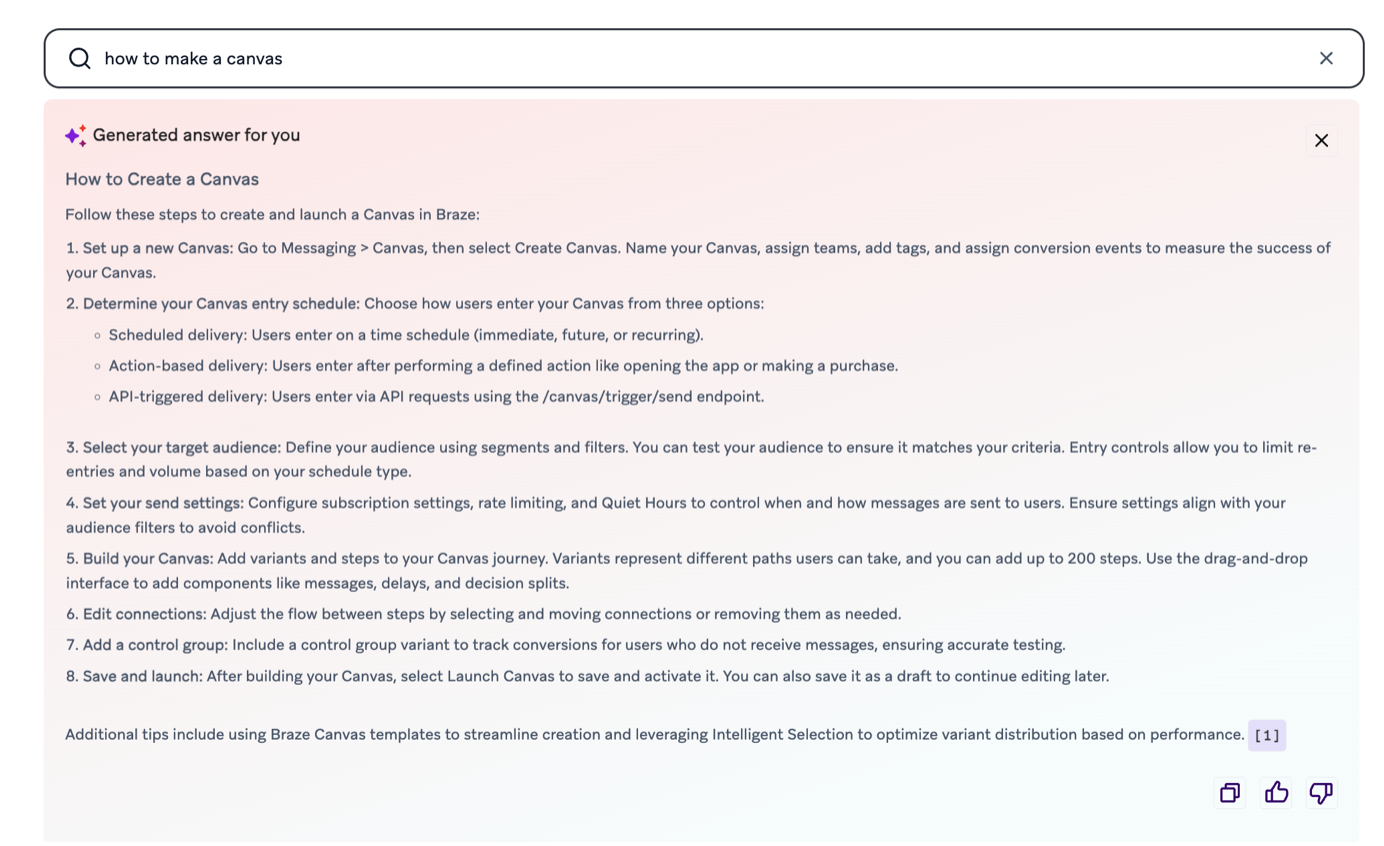
Once again, the agent returns detailed, contextual information, and the documentation link follows suit. Except now the suggested documentation is your hyper relevant, Create a Canvas page. That’s your front door.
Between the generated answers from both passes and the two sets of documentation, you now have a solid understanding of what a Canvas is, how it fits into Braze, and a step-by-step guide on how to build one. All from two search queries.
Example 2: “I want to send Braze data downstream to a data warehouse”
An example for those more technically savvy. Again, assume zero knowledge.
Pass 1
“I want to send Braze data downstream to a data warehouse”
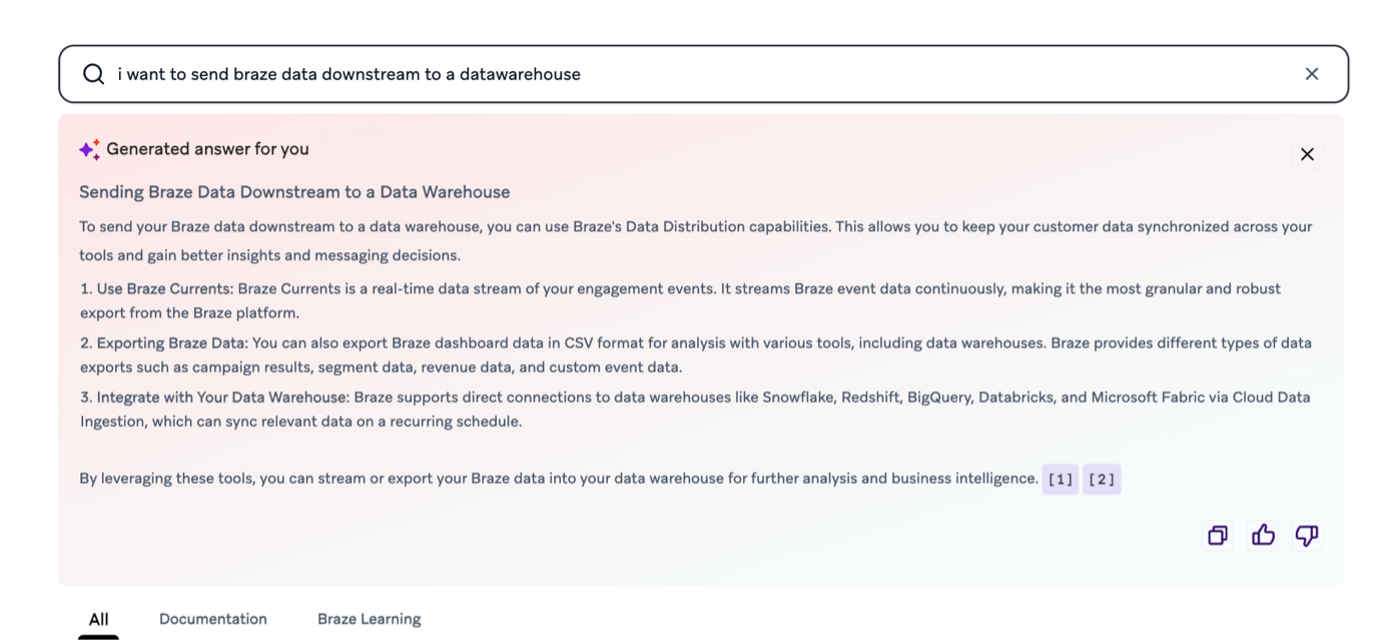
Grab those documentation links, in this case, the Braze Data Platform and Data Distribution pages. Now you have an idea of your options for sending data downstream. Note, the Data Distribution page will direct you to a page with two distinct section articles highlighting the two main ways of data distribution in Braze: Braze Currents and CSV Exports. Let’s say you’re keen on Braze Currents.
Pass 2
“I want to send Braze data downstream to a data warehouse via Braze Currents. How do I set this up?”
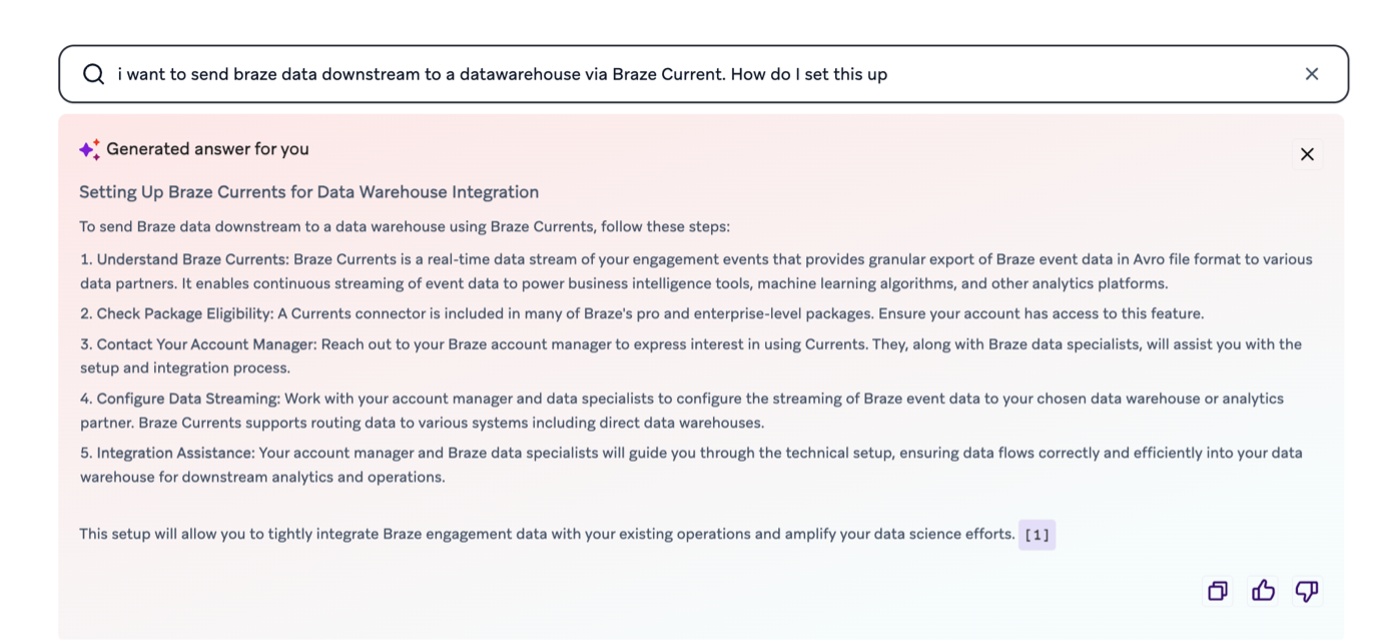
Done. You’ve got your answer, your documentation, and a clear path forward. Start building.
It's also worth mentioning that Braze's more granular technical reference material that the agent can reference is not only detailed, but actually available. For example, if you want to find out what mobile push subscriber attributes are available for a contact, these are clearly documented in one official page, the Export User Profile by Identifier endpoint, which explicitly lists every field in the push_tokens and devices objects, their data types, and what they mean. Compare that to Salesforce Marketing Cloud, where something as basic as mobile push subscriber attributes must be crowdsourced on a decade-old Stack Exchange post.
The Takeaway
With a vague query first to orient yourself, and a sharp query second to get the actual answer, you can turn Braze's vast documentation library into a phenomenally useful guide, and fast.
That said, documentation will tell you how to build something. It won't tell you what to build, or why. Strategy, architecture decisions, and making sure your implementation actually aligns with your business goals, that's a different conversation, and one that Composed Digital works with businesses on every day. If it’s one you need to have, reach out!
But bringing it back to your general how-tos: for getting up to speed on the platform itself, the double-pass method via the Braze AI documentation agent is a seriously useful starting point.